

How to Activate Your eSIM
Follow these simple steps to activate your eSIM on your device
Choose your device
0. What you'll need to install the app
- •Your personal electronic device
- •QR Code
- •Stable internet connection
1. Go to Mobile Network setting page.
Go to your phone's settings, tap on "Network and internet", followed by "Mobile network," and choose the recently installed eSIM.
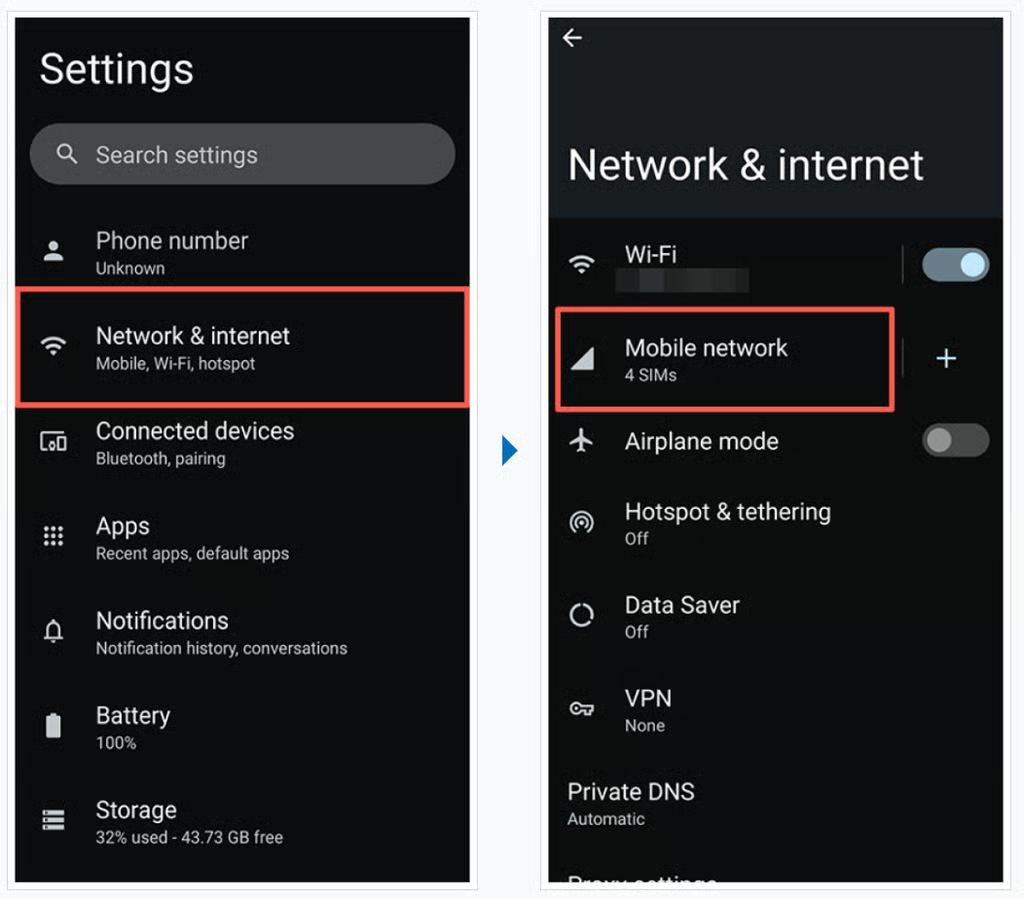
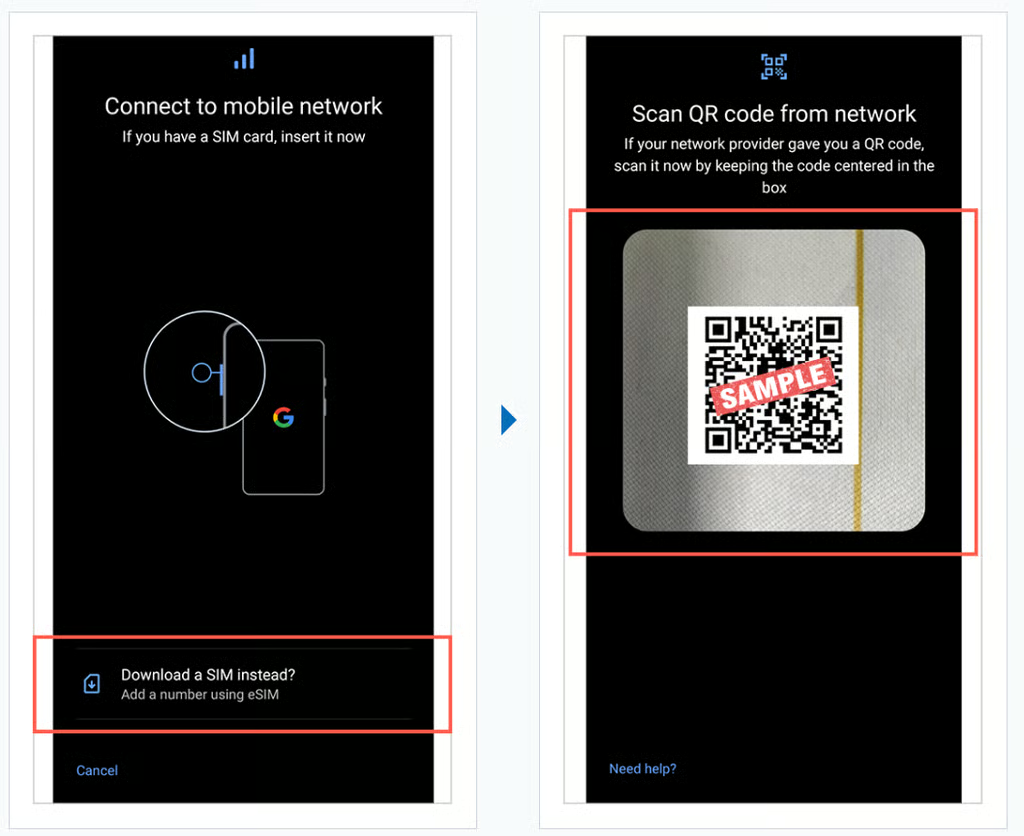
2. Download the SIM.
- Tap "Download a SIM instead?" and tap "Next".
- Scan a QR Code.
※The QR code for loading the eSIM can be located within the application, on the "My Page" section, or in your email. You can either display it on a separate device, print it in advance, or have your companion show the QR code.
3. Find your eSIM which you activated.
Go to your phone settings, tap on "Network & internet", "Mobile network", then the eSIM you installed in the previous step.
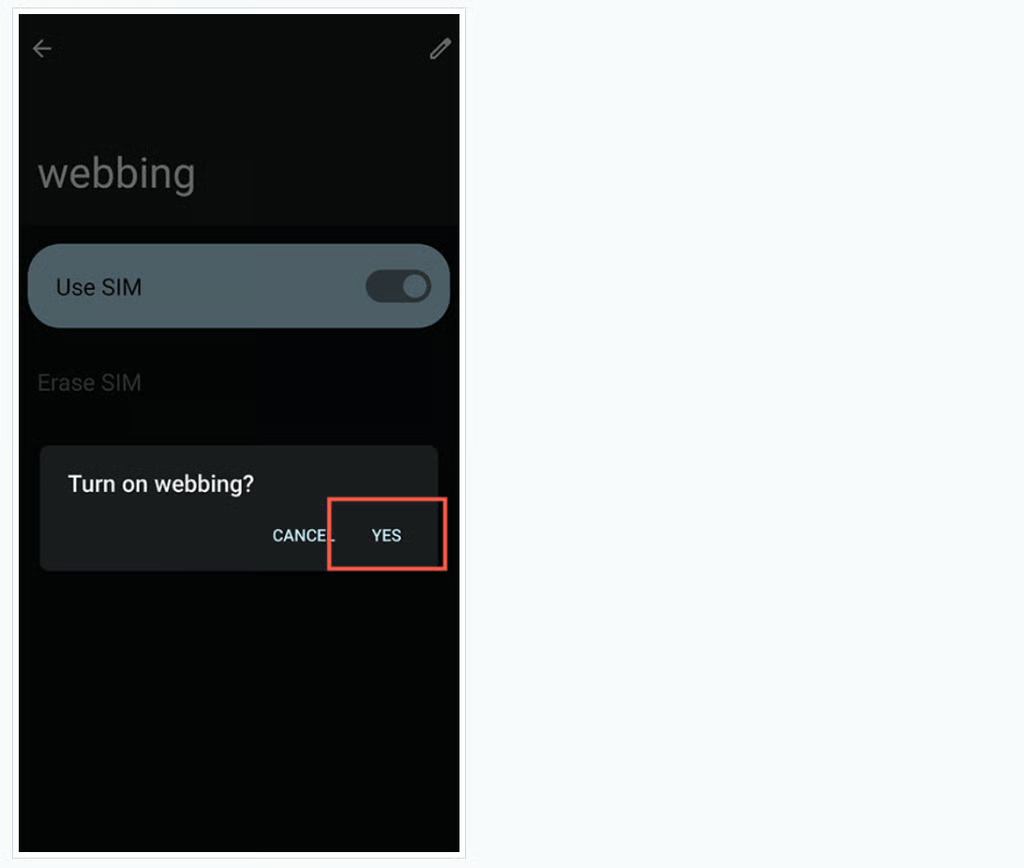
4. Enable the recently installed eSIM
Enable the recently installed eSIM and select "Yes".
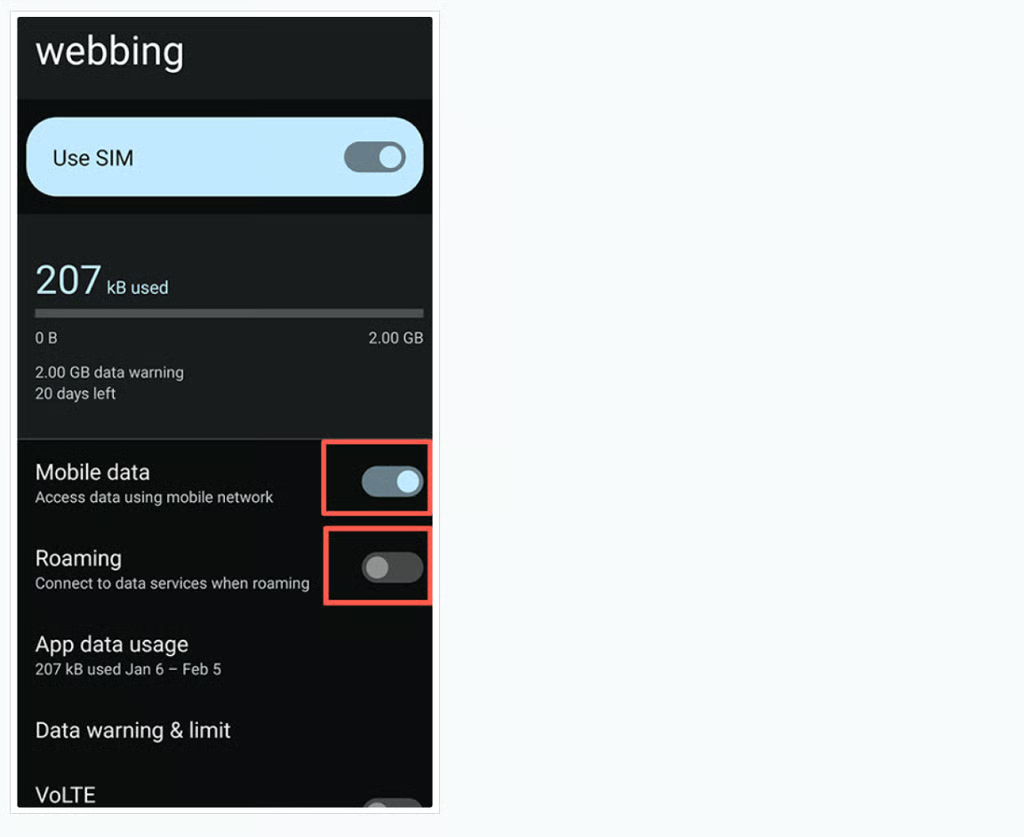
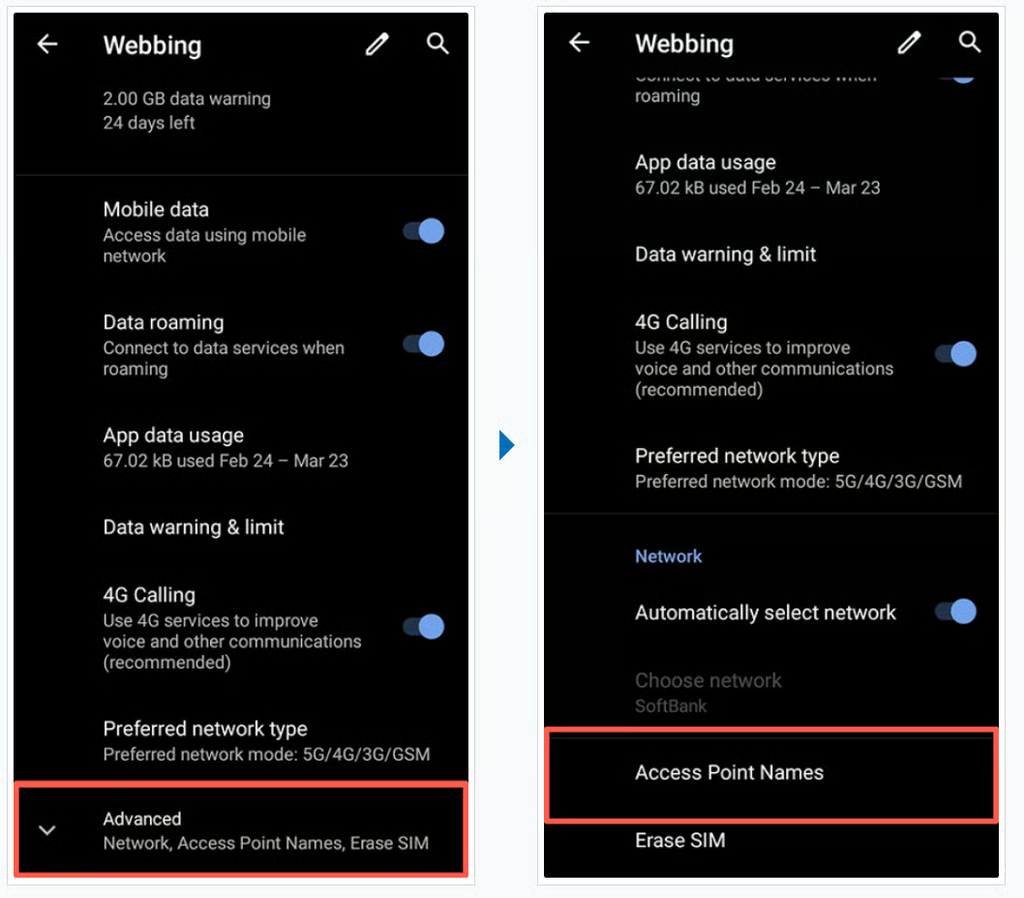
5. Enable "Mobile data" and "Roaming"
Enable "Mobile data" and "Roaming"
Check your device connects to the internet.
Depending on the phone and eSIM plan you are using, set up may be completed at this point. Check to see if you can connect to the internet.
If you cannot connect to the internet, proceed to the next step
6. Find APN (Access Point Name) section
Scroll down and tap "Advanced", then "Access Point Names"
7. Setting APN (Access Point Name)
- Tap "+".
- Enter as below:
- APN Name : (any name)
- APN:plus.4g
- User Name:plus
- Password:4g
- Authentication method:CHAP
- APN type:default,ia,mms,supl,hipri
You may leave those following empty. : Proxy / Port / Server / mmsc
- Tap the 3 dots on the top right and "Save"
🎉 You've finished setting up your eSIM!
Enjoy your trip to Japan!